Showing posts with label Headless. Show all posts

Friday, 21 July 2023

Sitecore XMCloud Setup on Development Machine - Part 2

July 21, 2023 1

In my previous blog, I explained how to deploy an existing project to the XM Cloud portal. Now, in this blog, we will connect the Next.js application directly to the XM cloud application through the Experience Edge endpoint.

Prerequisites:

  • You must have one Organization account in Sitecore portal (https://portal.sitecorecloud.io/ ) which has access to XMCloud.  And your account should be associated with that Organization account with admin access. 
  • Install .Net SDK 6.0 or higher and runtime.

Please view the video for step by step guidance on XMCloud installation on local development machine

Please check the below blog to find the error I faced during the setup-

XMCloud Troubleshooting blog

FAQ

  • Can I migrate my existing XP project to XM cloud?

    Moving a large complex Sitecore XP site to XMCloud is not recommended. But if you want to move to Headless , you have less dependencies on xDB and have less or no custom logic then you can migrate your project to XM Cloud. 

  • How much time till take to craete a XM site from scratch?

    It will take 5-10 mins to create a new XM site from scratch.
  • How much it will take to deploy Sitecore XM Cloud?

    It may take less than 30 minutes for Sitecore Experience Manager to deploy a Sitecore instance, but it depends on the configurations and templates you use.

  • Is Sitecore XM cloud headless?

    Yes, It's a proper next-generation SaaS-based headless platform.

Friday, 7 July 2023

Setup New Project in Sitecore XMCloud – Part 1

July 07, 2023 1

In my previous blog, I discussed about the XMCloud Introduction and features of XMCloud. In this blog I will show, how to create a new Project and environments in the Sitecore XM cloud. In the next blog, I will show how easily you can set up your local app development for XM Cloud and run the Sitecore XM Cloud project on your development machine.

Prerequisites:

• You must have one Organization account in Sitecore portal (https://portal.sitecorecloud.io/ ) which has access to XMCloud.  And your account should be associated with that Organization account with admin access. 


• Organization must have proper Sitecore licensing to run the XMCloud site in local docker environments.

• Create your own Github account to link with XMCloud project.

Steps to setup your project

1. Click on “Manage My projects” menu to open https://deploy.sitecorecloud.io/projects.io/projects site to Create a new project or manage existing one.

2. Then click on “Create New Project” button to create a new Project. It will open a popup to choose starter template, select XM Cloud Stater Foundation-


3. Then select a starter template. 


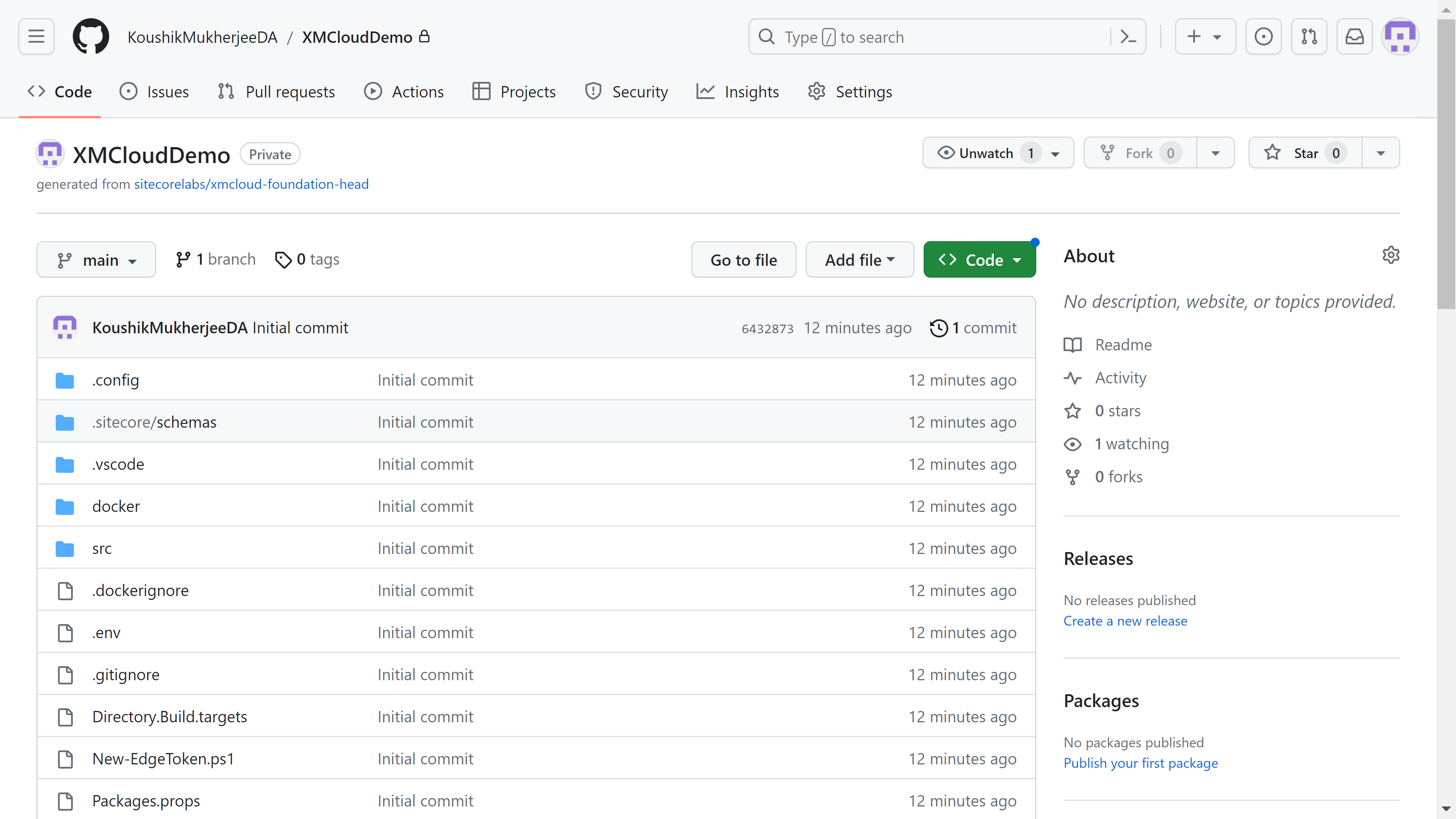
4. Next Step is to provide Your project name; in My case this is XMCloudDemo


5. Then you need to provide Github URL for your Project source control. If you already added the Github Account detail previously then you can choose from existing and create a repository and branch.


6. Next step you need to provide environment detail, set “Development” in Environment Name and Set No value to Production Environment and Trigger Deployment on Commit to Branch. And click “Create and Deploy”. Please note, you can create multiple environments for a project like “QA”, “Stage” or “Production”. 


7. It will take a few minutes for this project to get deployed.
 

8. Once deployment completes, you can see the project repository in you Github also.


9. Now the deployment is done and our XM Cloud instance is up and running. Now click on Launchpad and go to the Sites tab create your first XMCloud site instance there. Click on create website, it will give you option to choose default template, in my case I choose “Basic Site”.


10. In the configure tab, you need to provide Sitename and default language. Then click on Create Website. Till will take 3-4 minutes to create and build the website.


11. Once the website is created, you are all set to explore the Launchpad (Tools), Content Editor, Experience editor and also can explore pages.


12. You will see in the Sites tab, the demo website is already set up. Click on it and it will open the website in Page editor.


In this blog we discussed how to create a new Project and website within Sitecore XMCloud Portal. Next blog we will discuss How to run XMCloud Project in your development environment.

Happy Sitecoreing ðŸ˜Š


Thursday, 15 June 2023

An Introduction to Sitecore XM Cloud

June 15, 2023 1


What is Sitecore XM Cloud?

Sitecore is a leader in Web Content Management Systems. Sitecore XM Cloud is a cloud SaaS CMS that allows manage and deliver content to customers at fast speeds in multiple channels for unforgettable customer experiences. Development and Business teams can build and deliver a quality content and digital experiences across multiple channels while enabling quicker time-to-market.

Using XM Cloud, organizations can deliver the best omnichannel experiences in the cloud with a headless CMS architecture.

It empowers organizations to fulfil market needs by providing a visual authoring experience and speedy performance. Marketers receive a more simplified platform. And developers can build front-end using modern day technology by using headless architecture. Sitecore XM Cloud offers simple drag and drop features while creating pages and components.


What for the Enterprises?

·        No More Upgrades

As Sitecore offer SAAS platform for XM Cloud, organizations no need to worry about Sitecore upgradations in some intervals to get latest features of Sitecore. It will provide continual upgrade integration in the back end. Additionally, being headless and having the separation of the Front-End Delivery Server from Sitecore XM, developers can see a path to simpler upgrades because XM and front-end can be upgraded independently from each other.

No infrastructure to manage

As Sitecore offer SaaS platform for XM Cloud, organizations no more need to invest on infrastructure to manage Sitecore CM and related features like XConnect or databases.

·        Composability

XM Cloud is part of Sitecore's composable stack. The main idea behind composability is to make the user experience seamless. With composability, enterprises can buy individual solutions like XM Cloud, CDP, Order Cloud, Sitecore Discover, Sitecore Personalize, Content Hub One etc. 

·        Scalability

Sitecore Cloud’s SaaS and composability features offer enterprises to scale their project as per their business demands. 

·        Marketer Friendly

XM Cloud makes it seamless to manage and deliver quality content across multiple digital channels. It offers simple drag and drop features while creating pages and components. 

·        Superfast experience

Page load speeds affect the user experience and also impact SEO. Sitecore XM Cloud offers headless architecture, so developer can build their front end with latest technology and can delivers contents with super-fast performance. 

·        Multichannel Content Management

The headless architecture allows to serve a single content and reuse it across multiple channels. This saves time and money on getting content out to the audience.

·        Powerful marketing tools

Sitecore always provides powerful tools to shape the user experience, and XM Cloud is no different. It also offers personalisation and testing. marketers have the perfect set-up to enhance and deliver even better experiences.


Features of Sitecore XM Cloud

GraphQL

GraphQL is a query language that helps to get the data requested through an API. GraphQL is flexible and developer friendly. Sitecore’s headless module supports a GraphQL solution for Sitecore XM Cloud known as Sitecore Experience Edge.

Sitecore Pages

An intuitive and visual editing experience enables marketers to build unique experiences across web pages. Access to static and dynamic content, templates, and media assets is available from one single location.

Multi-site Management

XM Cloud has multi-site management, that means businesses can deploy Sitecore Pages in multiple regions. That content can be easily translated into various languages and used to create a personalized experience for the customers.

GitOps Support

GitOps is a modern way to manage cloud-native systems that are powered by Kubernetes. GitOps is focused on deploying cloud-native apps and the automation of IT infrastructures using some of the best software development practices, such as Git, CI/CD tooling, etc. XM Cloud supports GitOps.

Sitecore Component Builder

Sitecore Component Builder offers a front-end as a service solution with WYSIWYG for easy content authoring and restructured layouts that increase scalability. With these reusable components, content can be easily delivered to various channels and devices.

Sitecore and Jamstack

Jamstack is a term that describes a modern web development architecture based on JavaScript, APIs, and Markup (JAM). Jamstack architecture make web pages faster, more secure, and more easily scalable. XM Cloud makes it easy for developers to utilize the Jamstack and modern frontend tools such as React, Angular, TypeScript and Next.js

Cloud Portal

An easy-access portal makes toggling between different Sitecore products much faster. Sitecore Unified Identity allows SSO across all applications of Composable DXP.


XM Cloud the future of Sitecore?

Cloud infrastructure provides benefits of faster time to market, automatic updates, increased scalability, and many more. Sitecore also provides the foundation of a digital experience platform (DXP). As a headless CMS, XM Cloud strongly encourages JSS/Next JS to fully enable page components. If your solution is already headless, JSS or SXA, your Sitecore solution is a good candidate for XM Cloud.

A potential move to XM Cloud requires careful planning and a roadmap to get there. Moving to XM Cloud would result in more of a re-architecture but would undoubtedly prevent the need for future upgrades.

It is the future of the Sitecore product suite and is improving frequently. So in long-term roadmap Sitecore XM Cloud must be in your roadmap.